Introduction
nixos-holochain runs a Holochain conductor, its hApps and the monitoring around them from a NixOS flake you write yourself. It was built at Sensorica for a room of five Holoports, and it is meant for anyone in the Holochain community who wants an edgenode they can read, change and roll back.
The gap it fills
Holochain has two deployment stories. Holonix gives developers a Nix environment, and it is mature. HolOS gives production edgenodes a Buildroot appliance image, which you flash and run but do not author. Nothing in between lets you describe a node declaratively and deploy it to commodity hardware.
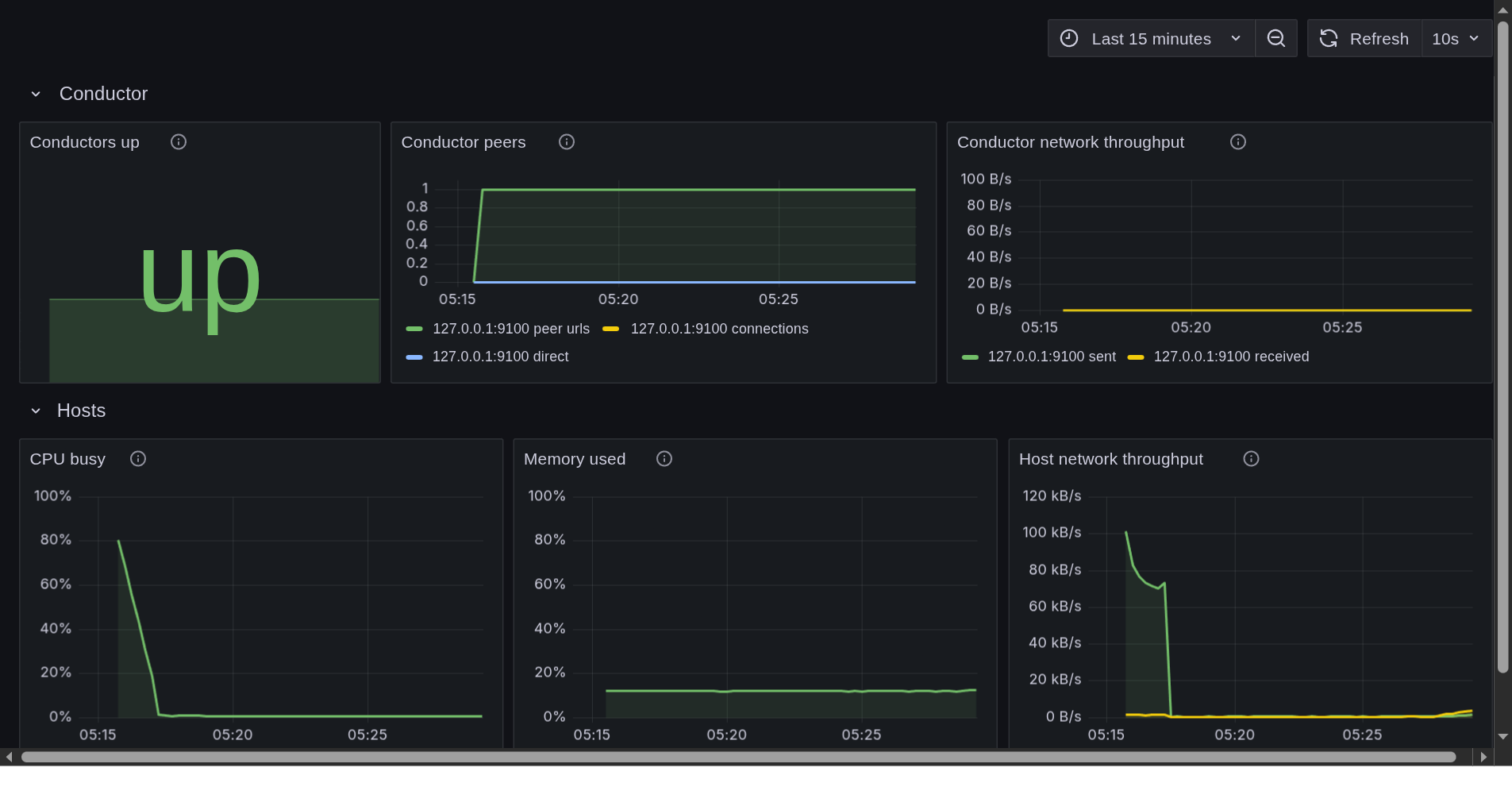
These modules are that middle path. One nixos-rebuild brings up a conductor with its keystore, installs your hApps at boot, and, if you ask for it, exports the conductor’s own network metrics to a Prometheus and Grafana stack that ships with provisioned dashboards.
What is in the repository
-
Seven NixOS modules.
holochain-edgenodeis the core: conductor, in-process lair keystore, an idempotent hApp installer and optional metrics, on both the 0.7 and the 0.6 Holochain lines from one option set.holochain-grafanaadds Prometheus and Grafana for a fleet,holochain-http-gatewayserves chosen zome functions over HTTP,holochain-bootstrapruns your own bootstrap and relay server, andholochain-windtunnellends a machine to the Holochain Foundation’s test cluster, off by default.holochain-moss-noderuns a Moss group’s always-online node beside the edgenode, andsensorica-event-nodeis the Sensorica workshop’s profile (Holochain line, hApps and network seed) layered on it. -
Two flake templates.
nix flake init -t github:Sensorica/nixos-holochain#minimalwrites one edgenode;#fleetwrites five nodes with Grafana, a Colmena hive and a live ISO. -
A worked fleet.
examples/sensorica-fleetis the Sensorica Lab’s own flake: five Holoports, an operator desk and a workshop ISO. -
NixOS VM tests for every module, built in CI, so a claim in these pages about what a module does has a test behind it.
Where it stands
The modules work and are VM-tested on Holochain 0.7.0 and 0.6.3. The open work is hardware: deploying the full five-machine fleet to real Holoports is tracked in issues #8 to #12. The project is licensed MIT and succeeds the archived Sensorica/holoports-workshop.
Three ways through this book
You are installing a Holoport, at a workshop or as the operator of a fleet. Start with the Deployment guide, which walks a Holoport from an empty disk to a verified conductor, then read The Sensorica Lab fleet for how the lab’s machines are laid out. Workshop participants have a handout and a pre-flight checklist; facilitators have their own guide.
You run NixOS and want the modules on your own machines. Read the Architecture for how the conductor, the installer and the observability stack fit together, then keep the Module options reference open. Starting from a template gets a first node evaluating, hApp bundles covers where .happ files come from, and Moss always-online node runs a Moss group’s headless node.
You want to change the code. Contributing sets the rules: open an issue first, every new module ships a VM test, and the option reference is regenerated in the same commit as any option change. Releasing is how a version is tagged, and the architecture decision records are the design decisions behind the code. The archive records the December 2025 HolOS workshop this project grew out of.
Building this book
The book’s sources are the Markdown files under docs/, with docs/SUMMARY.md as the table of contents. From the repository root:
nix develop -c mdbook serve --open
Without the dev shell, nix shell nixpkgs#mdbook -c mdbook build writes the site to book/.